Pipeline Graph
A Go tool that statically maps TeamCity pipelines, Makefiles, and docker images across many git repos into one navigable graph.
Highlights
- Hand-written Kotlin lexer and tolerant parser for the TeamCity Kotlin DSL, plus a Makefile parser
- Resolves snapshot/artifact dependencies, finish-build triggers, and docker images across repos
- Pure static analysis: never talks to a TeamCity server and never runs code from the analysed repos
- Deterministic output: golden-file tests and byte-identical, generated README screenshots
- Self-contained HTML viewer with lineage colouring, search, deep links, and presentation mode
Overview #
Once a CI setup spans more than a handful of repositories, nobody holds the whole picture in their head anymore. A build in one repo publishes a docker image, another repo builds on top of it, a third waits for both through a finish-build trigger, and each step quietly calls into a Makefile that calls into another Makefile. The questions people actually ask are simple, but answering them means opening a dozen repos:
- DevSecOps: a CVE lands in a base image. What rebuilds, what gets redeployed, and where are images pushed and pulled?
- QA: what does this test job actually run, and what is waiting for it?
- Everyone: walking a new team member through the path to production.
Pipeline Graph answers those by reading the repos, not the CI server. Point it at a list of git URLs and it maps TeamCity build configurations, snapshot and artifact dependencies, finish-build triggers (including across repos), the make targets each build step runs, and the docker images passed between pipelines. The result is a single graph with one swimlane per repository.
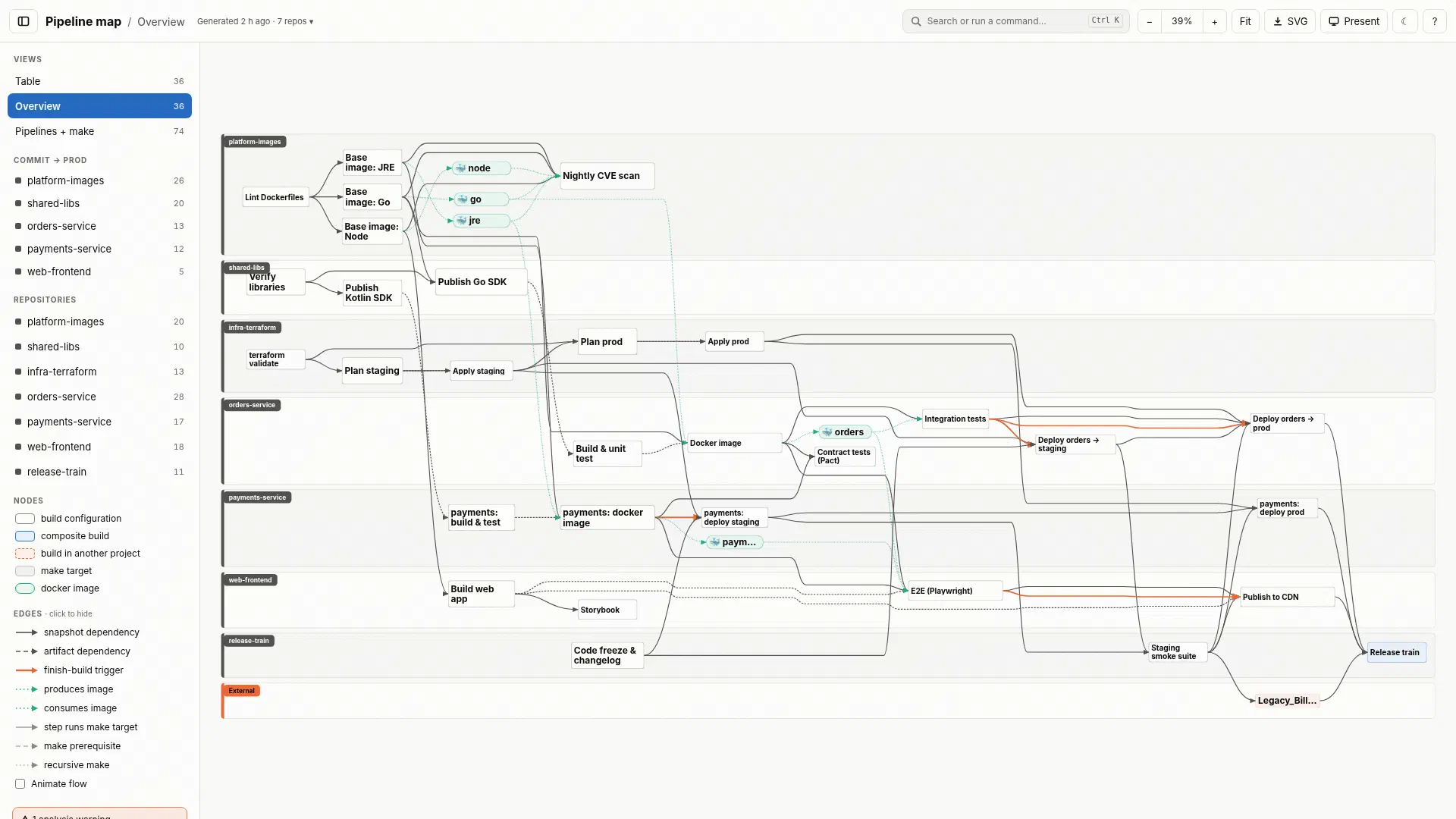
It is pure static analysis. It never talks to a TeamCity server, it never runs anything from the analysed repos, and there is no AI in the loop. That makes it safe to run anywhere and fast enough to run on every change.
How it works #
The tool is written in Go with a single dependency (yaml.v3). Each stage is its own package:
flowchart LR
  Fetch["<b>fetch</b><br/>shallow git clones<br/>(ssh, BatchMode)"]
  KTS["<b>kts</b><br/>Kotlin lexer + tolerant parser<br/>TeamCity DSL extraction"]
  Make["<b>makefile</b><br/>variables, includes,<br/>pattern rules, make -C"]
  Shell["<b>shell</b><br/>make / docker calls<br/>in step scripts"]
  Analyze["<b>analyze</b><br/>graph build +<br/>cross-repo id resolution"]
  Layout["<b>layout</b><br/>layered, left to right,<br/>repo swimlanes"]
  Render["<b>render</b><br/>draw.io · vsdx · HTML<br/>Mermaid · DOT · JSON"]

  Fetch --> KTS --> Analyze
  Fetch --> Make --> Analyze
  KTS --> Shell --> Analyze
  Analyze --> Layout --> Render
Kotlin DSL. TeamCity’s Kotlin DSL is real Kotlin, so a regex approach falls apart quickly. The kts package is a hand-written lexer and a tolerant parser that recovers from constructs it doesn’t care about. On top of that, the extraction layer understands the patterns people actually use: templates, helper functions (inlined with their arguments), subclasses with constructor arguments substituted, sequential/parallel chains, and %param% references.
Makefiles. The Makefile parser handles variables, includes, pattern rules, and recursive $(MAKE) -C. It deliberately does not evaluate conditionals (every branch is taken) and never runs $(shell), which keeps the analysis side-effect free.
Shell steps. Build step scripts are scanned for make and docker invocations, and ./ci/*.sh helpers are followed, so a step’s graph node knows which targets it calls and which images it builds, pushes, or pulls.
Cross-repo resolution. Dependencies between repos are expressed as TeamCity AbsoluteIds. These are resolved using TeamCity’s project-id naming rules, with a fuzzy fallback that always emits a warning when it is used.
Answering the questions #
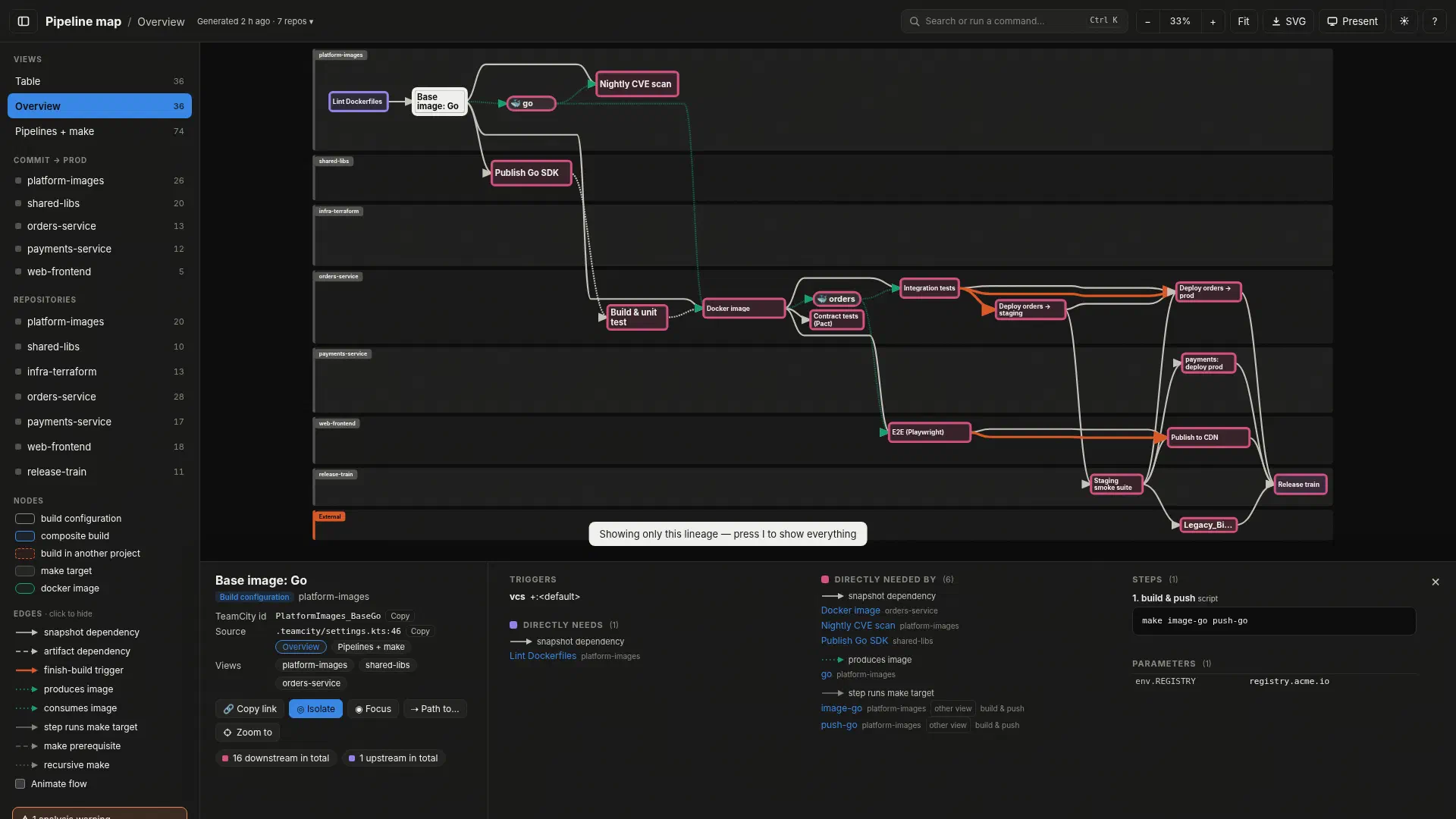
The HTML output is a single self-contained file with no CDN, so it can be dropped into Confluence or an incident channel as-is. Clicking a node rings what it needs in violet and what depends on it in magenta, I isolates that lineage, and the URL updates so the exact view can be shared.
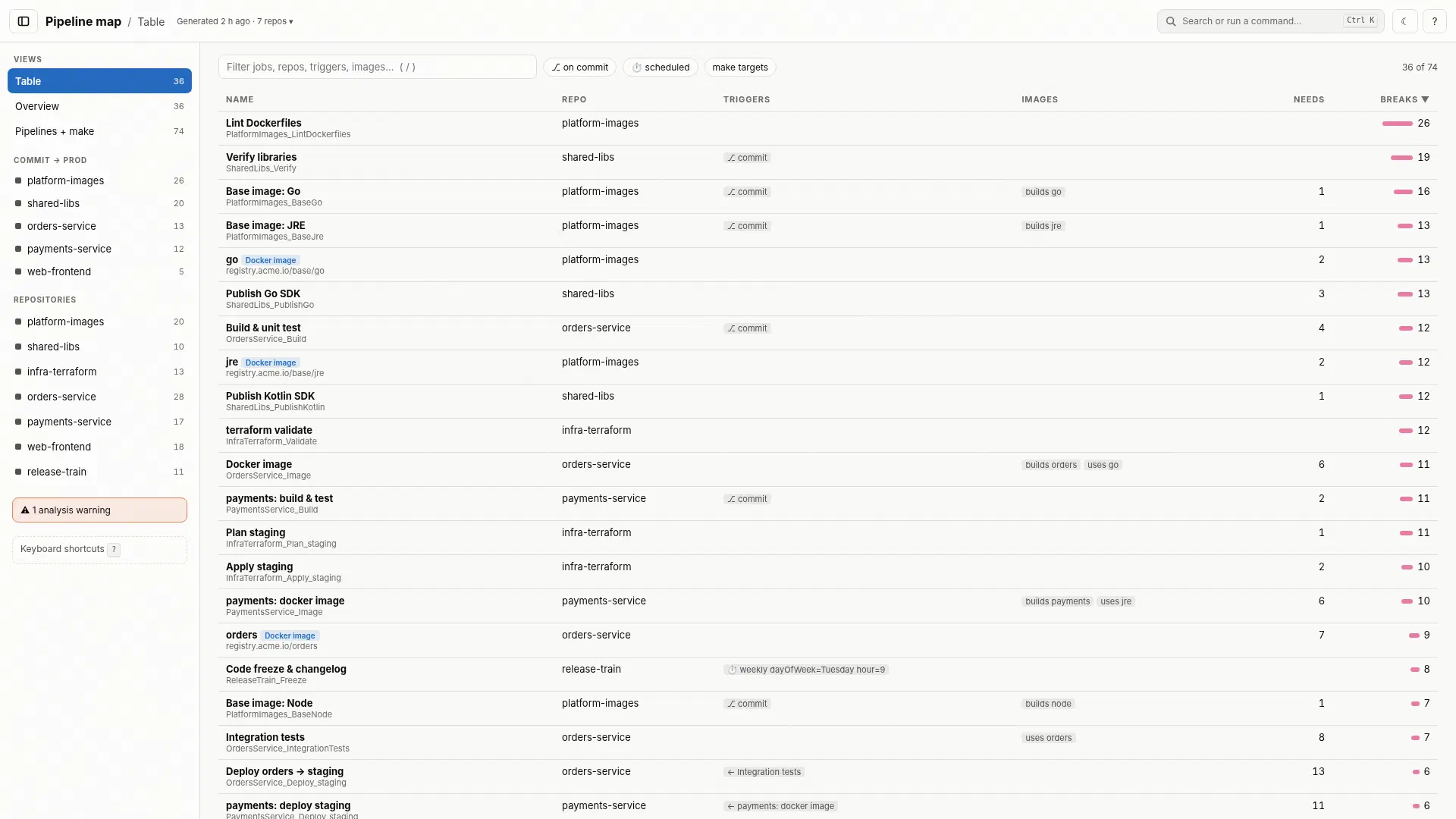
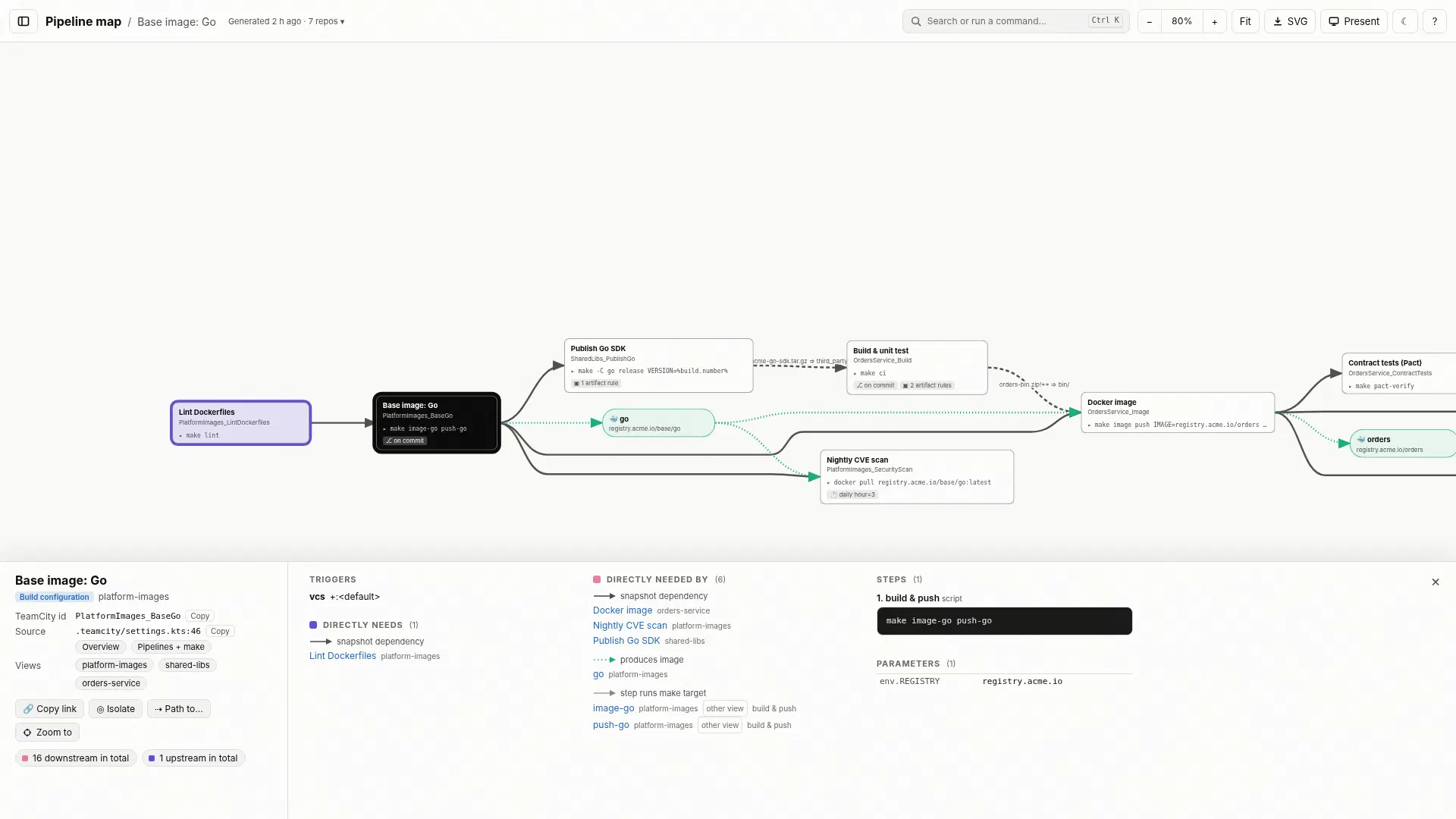
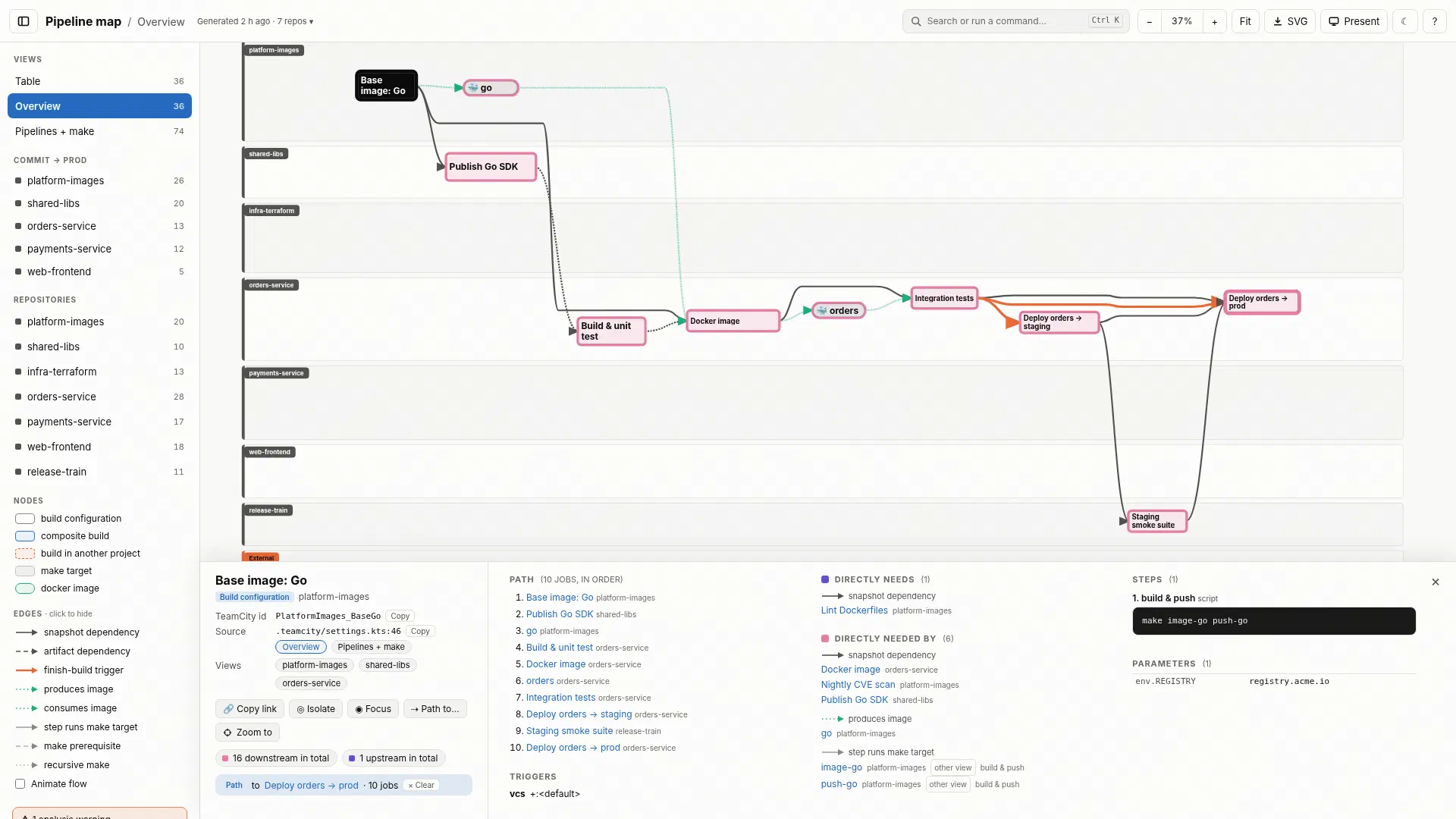
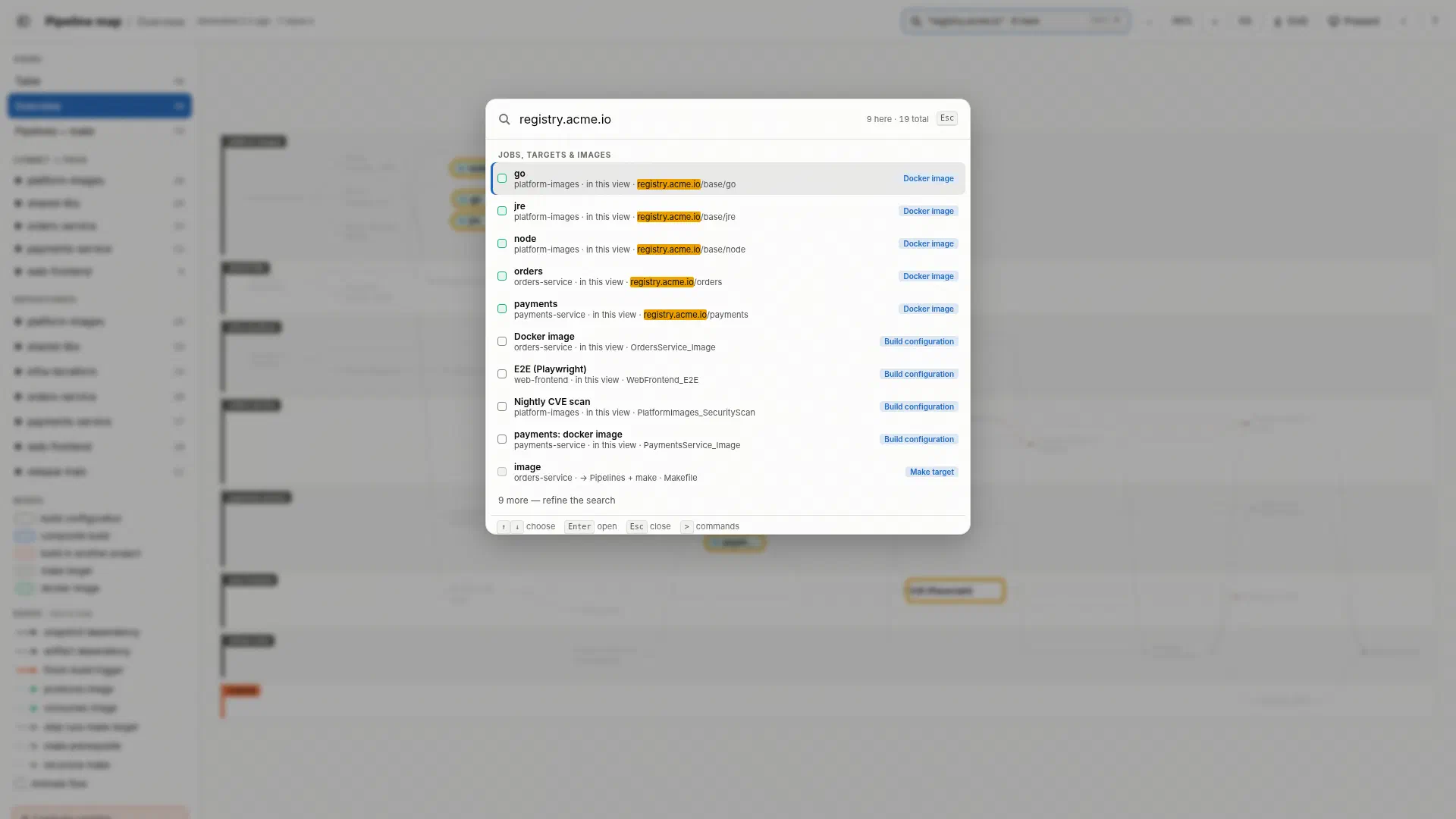
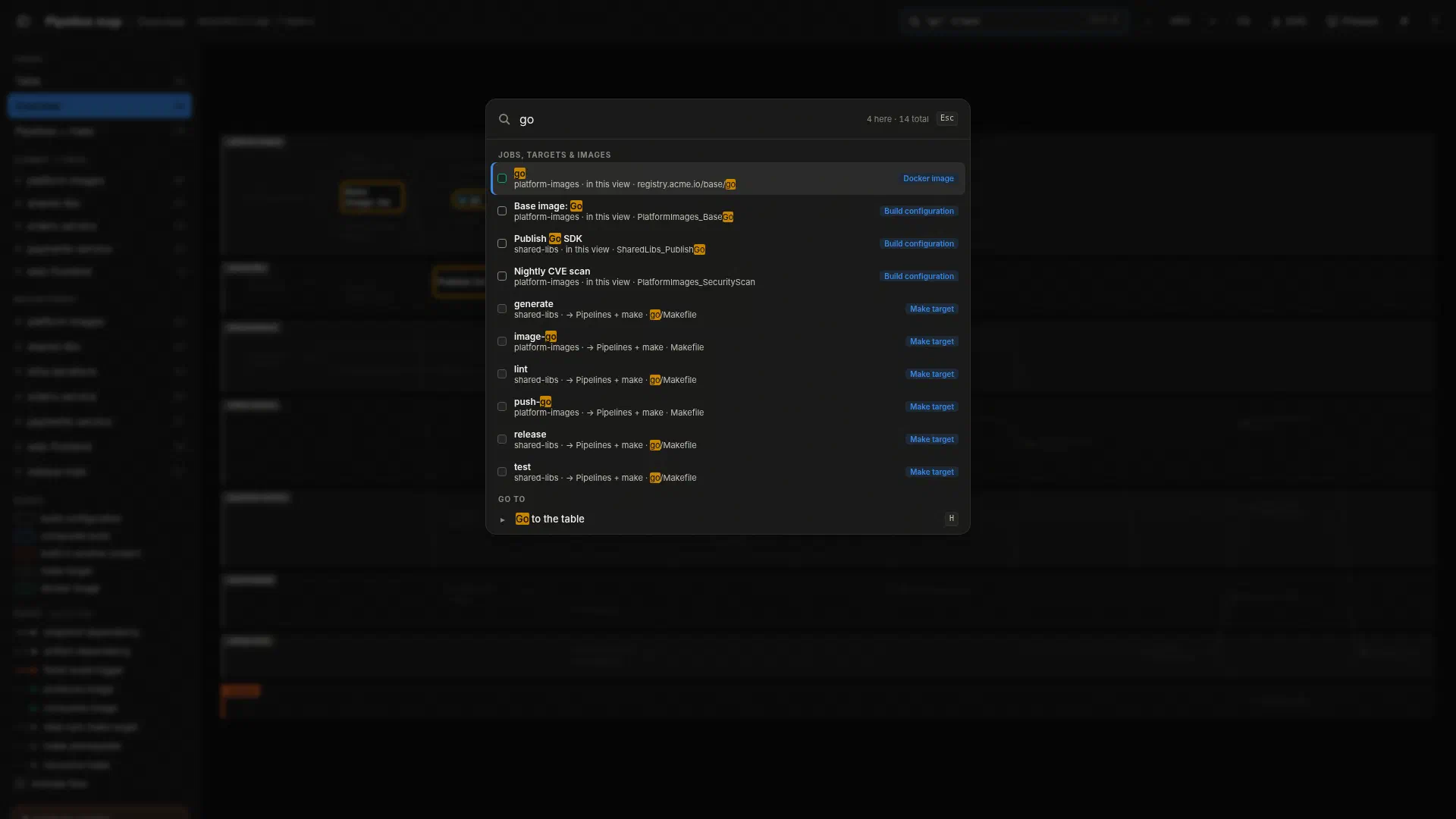
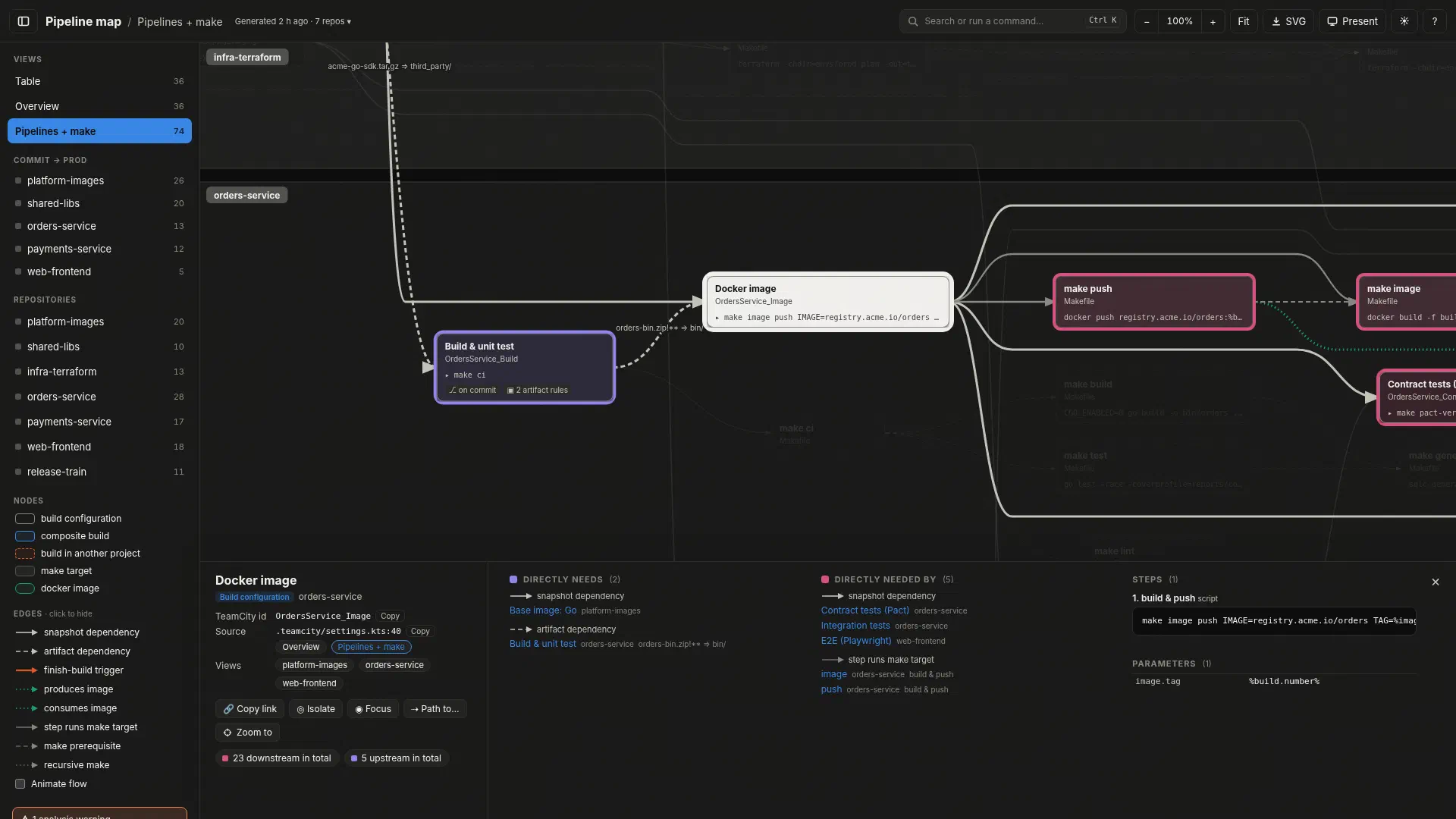
The Pipelines + make view follows each build step into the make targets it calls, their prerequisites, and recursive make -C calls across included .mk files. Side panels show the exact script and link each node to the file:line that defines it in the analysed commit (GitHub, GitLab, Bitbucket, and Gitea are supported).
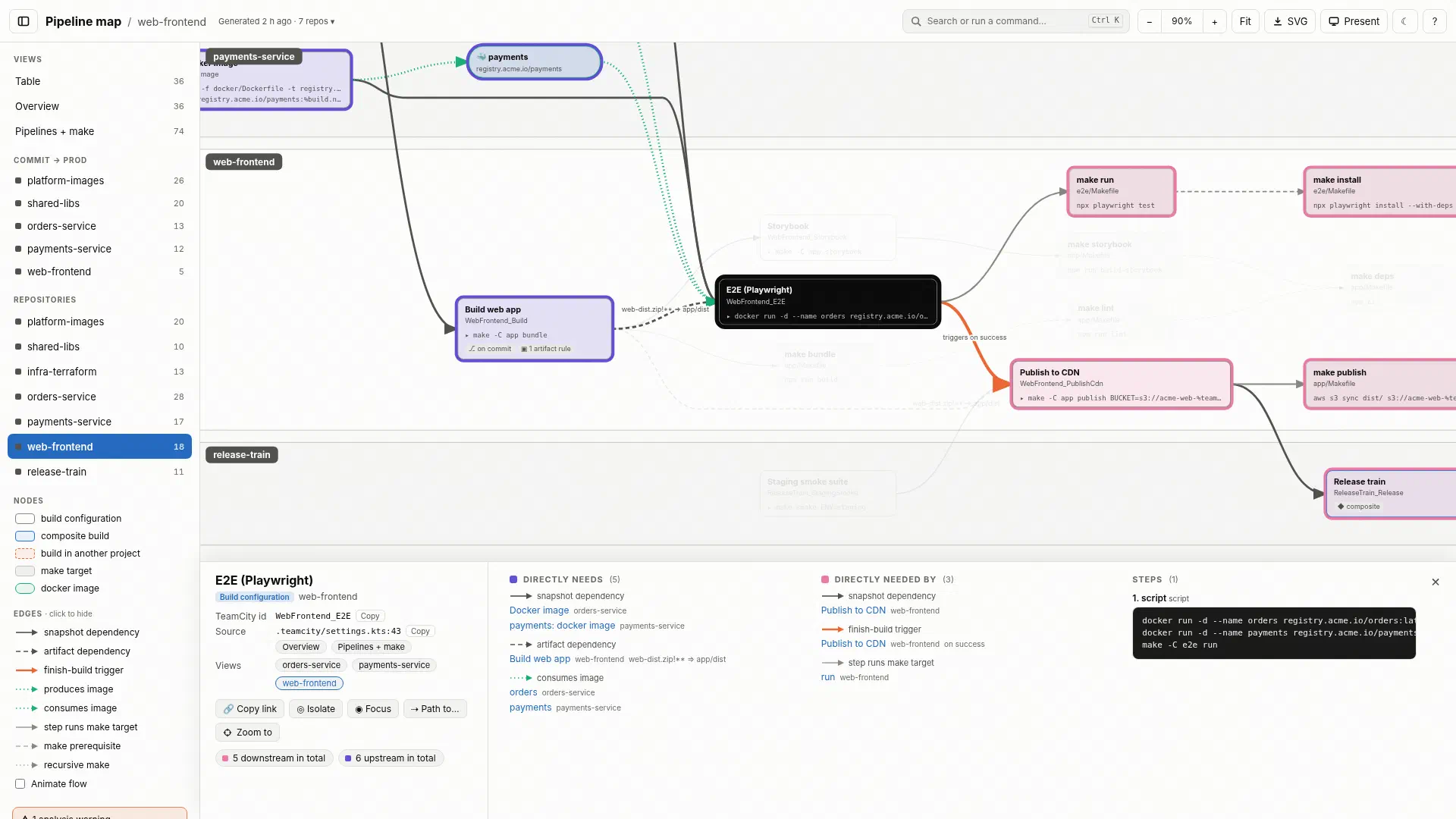
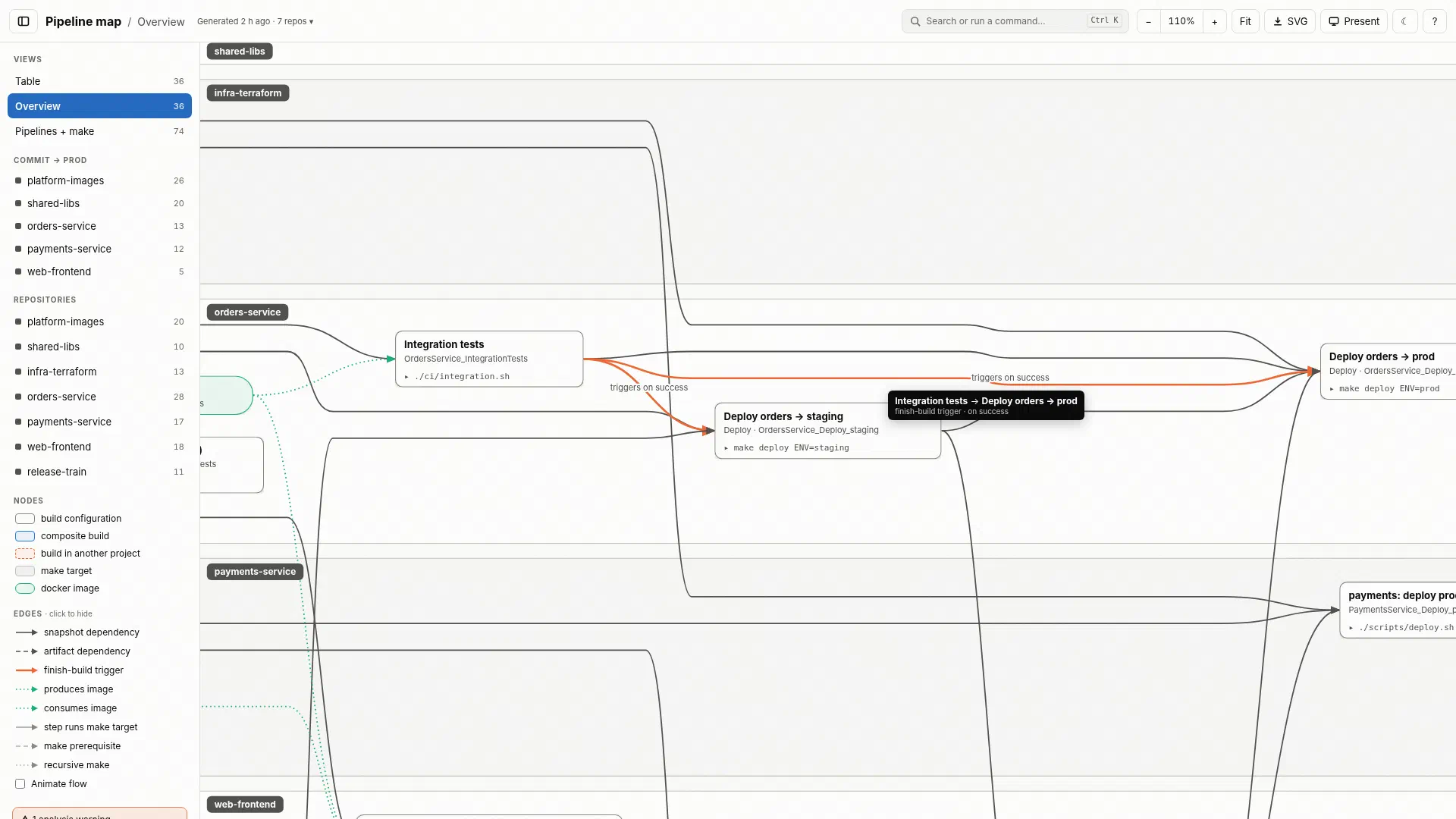
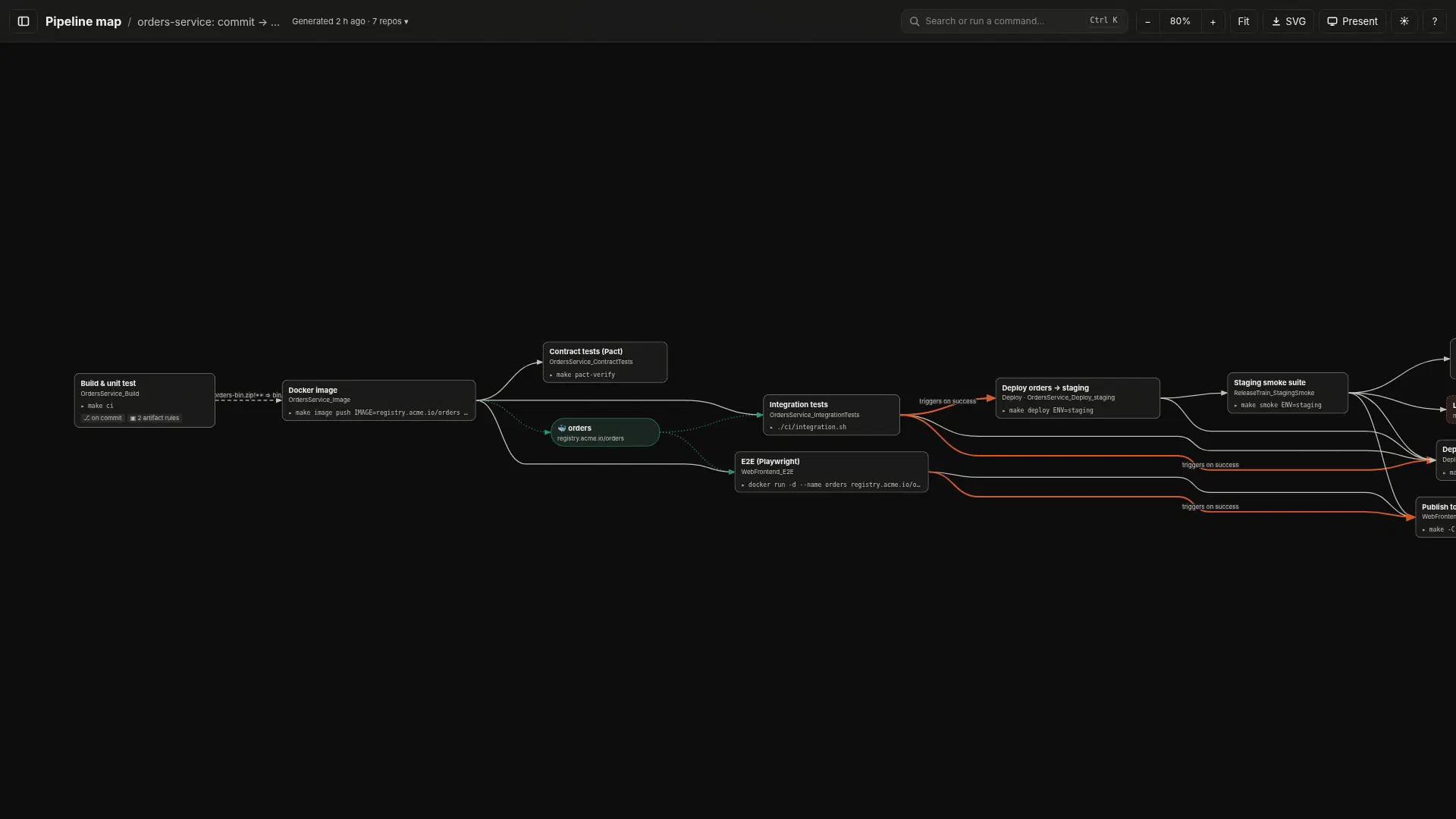
For release reviews and post-mortems there is a presentation mode (P) that hides the controls and enlarges the text.
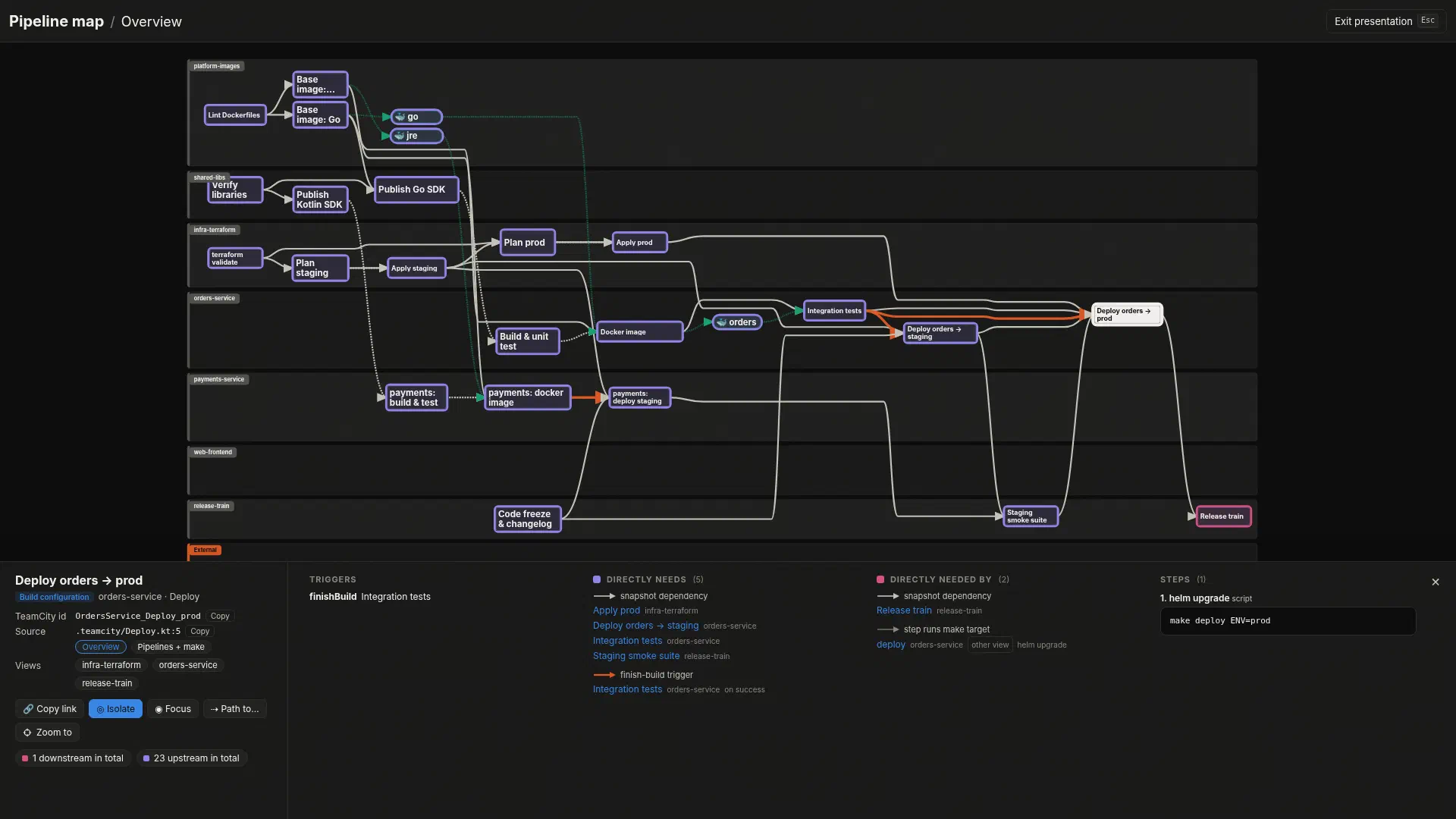
Besides HTML, the same graph is written as draw.io, a hand-built Visio .vsdx (which imports cleanly into Miro), Mermaid, DOT/SVG, and graph.json for scripting.
Nothing dropped silently, nothing non-deterministic #
Two rules shaped most of the design.
Nothing is dropped silently. Anything the analysis can’t resolve, such as a build configuration in a repo that wasn’t analysed or an id that only matched fuzzily, goes into warnings.txt with its file:line and is drawn as an external node. A map that is quietly incomplete is worse than no map.
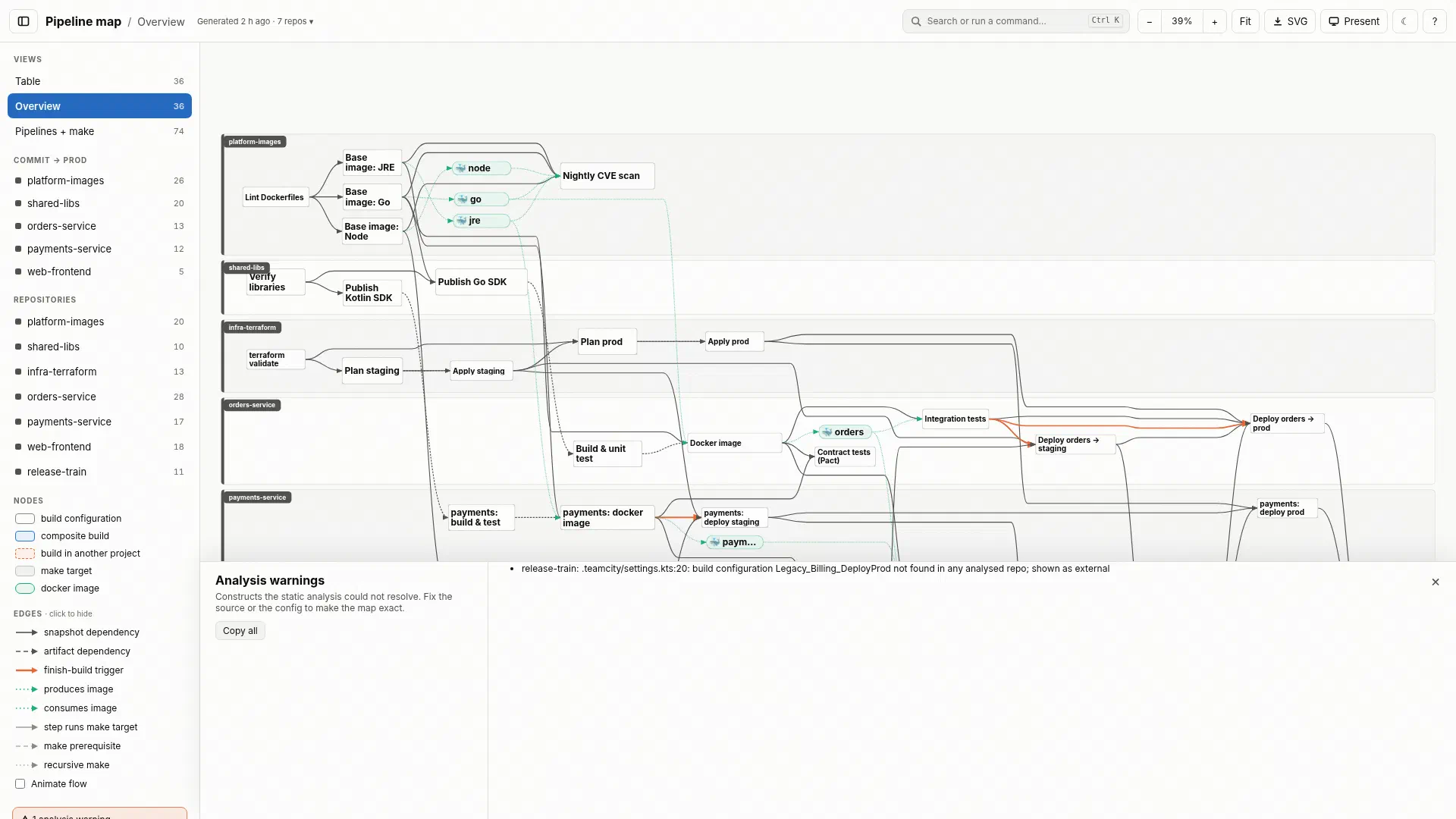
The output is deterministic. SOURCE_DATE_EPOCH pins the “generated” timestamp, and the end-to-end tests compare the output for a fictional seven-repo “Acme” example against golden files. Even the README screenshots are generated: a small script drives headless Chromium through a hand-written CDP client inside a digest-pinned Docker image, with the browser clock frozen, so re-running it produces byte-identical PNGs. The same Acme example is published as the live demo on GitHub Pages.
The quality gate runs in Docker through pre-commit (golangci-lint, govulncheck, gitleaks, shellcheck, hadolint), with Docker images pinned by digest and GitHub Actions pinned by SHA.
Usage #
go install github.com/Avicted/tools.pipeline-graph/cmd/pipeline-graph@latest

# Analyse a set of repos directly...
pipeline-graph git@github.com:acme/service-a.git git@github.com:acme/platform-base.git

# ...or describe them in a config file
pipeline-graph -config pipeline-graph.yaml